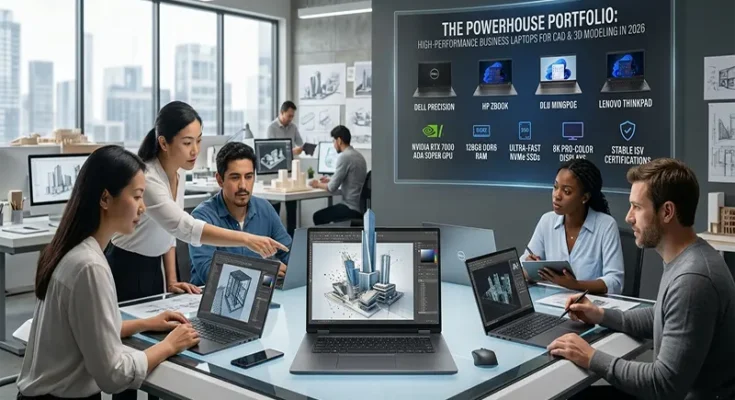

The Powerhouse Portfolio: High-Performance Business Laptops for CAD and 3D Modeling in 2026

The Powerhouse Portfolio: High-Performance Business Laptops for CAD and 3D Modeling in 2026

For architects, mechanical engineers, and 3D artists, the laptop is not merely a tool—it is the digital drafting table upon which complex projects are built. The leap from basic office computing to professional-grade CAD (Computer-Aided Design) and 3D modeling—using platforms like SolidWorks, AutoCAD, Revit, and Blender—requires a fundamental shift in hardware philosophy. In 2026, the “mobile workstation” has evolved into a powerhouse capable of handling massive geometry calculations and real-time ray tracing, all while remaining portable enough to move from the studio to the construction site.

The Hardware Hierarchy: Anatomy of a Workstation

A professional CAD laptop demands a specific synergy of components. Unlike consumer gaming machines, which prioritize raw frames per second, professional workstations prioritize stability, precision, and sustained throughput.

  • The GPU (Graphics Processing Unit): This is the heart of your modeling workflow. Professional-grade workstations utilize ISV-certified GPUs (Independent Software Vendor), such as the NVIDIA RTX Ada generation.
The Powerhouse Portfolio: High-Performance Business Laptops for CAD and 3D Modeling in 2026 Read More
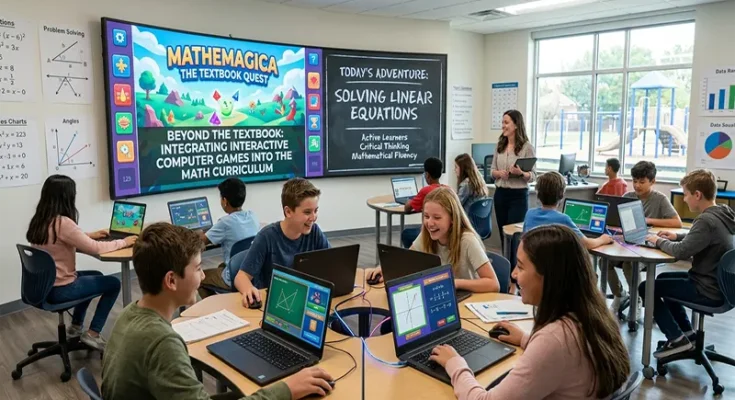
Beyond the Textbook: Integrating Interactive Computer Games into the Middle School Math Curriculum

Beyond the Textbook: Integrating Interactive Computer Games into the Middle School Math Curriculum

Middle school is a pivotal junction for mathematical development. It is the stage where students move from concrete arithmetic to the more abstract realms of algebra, geometry, and probability. Unfortunately, this is also the period where “math anxiety” often takes root, as the curriculum becomes less intuitive and the stakes feel higher. The challenge for educators is to maintain engagement during these formative years. Increasingly, the solution is being found in an unlikely place: the interactive computer game.

By treating games not as a “reward” for finished work, but as a core instructional tool, teachers can foster a sense of “productive struggle”—the sweet spot where students are challenged enough to be engaged, but supported enough to persevere.

The Pedagogy of Play

Why do interactive games succeed where traditional lectures sometimes fail? The secret lies in the cognitive science of play.

  • The Flow State: Games are masterfully designed to keep players
Beyond the Textbook: Integrating Interactive Computer Games into the Middle School Math Curriculum Read More
Beyond the Perimeter: Why Zero Trust is the Essential Security Model for Remote Work

Beyond the Perimeter: Why Zero Trust is the Essential Security Model for Remote Work

For decades, corporate security was defined by the “castle-and-moat” philosophy. Organizations built high walls—firewalls—around their offices, and once a user was inside that perimeter, they were largely trusted. However, the rise of the distributed, remote workforce has rendered this model obsolete. When employees access corporate resources from home offices, coffee shops, and diverse mobile devices, the “perimeter” no longer exists.

Continuing to rely on traditional VPNs, which essentially grant broad network access once a user is inside, creates unacceptable risks. The modern answer is Zero Trust Architecture (ZTA)—a fundamental paradigm shift that operates on one simple, powerful mantra: “Never trust, always verify.”

The Core Principles of ZTA

Zero Trust is not a single product; it is a strategic framework designed to protect data in a world where the network is no longer the boundary. It rests on three foundational pillars:

  • Verify Explicitly: Trust is never granted based on location
Beyond the Perimeter: Why Zero Trust is the Essential Security Model for Remote Work Read More
The New Multitasking Standard: Best AI-Powered Copilot+ Business Laptops for 2026

The New Multitasking Standard: Best AI-Powered Copilot+ Business Laptops for 2026

The era of the “standard” laptop is over. In 2026, the benchmark for business computing is defined by the Copilot+ PC category—a new generation of hardware designed specifically to handle the demands of on-device artificial intelligence. For the professional who manages dozens of browser tabs, complex data workflows, and AI-assisted communication simultaneously, this shift represents the most significant leap in multitasking efficiency in a decade.

The Mechanics of NPU Multitasking

Historically, whenever you added a new “intelligent” feature to your workflow—like real-time transcription, background noise suppression, or predictive text—the CPU and GPU bore the brunt of the load. This resulted in system sluggishness and rapid battery drain.

Copilot+ PCs solve this by incorporating a dedicated NPU (Neural Processing Unit). By offloading these demanding AI tasks to the NPU, the CPU and GPU are freed to focus on what they do best: handling high-performance application rendering, data crunching, and responsiveness. …

The New Multitasking Standard: Best AI-Powered Copilot+ Business Laptops for 2026 Read More
Empowering Every Learner: Essential Assistive Technology Tools for Students with Learning Disabilities

Empowering Every Learner: Essential Assistive Technology Tools for Students with Learning Disabilities

In the modern classroom, the goal of education is not simply to deliver a standardized curriculum, but to unlock the potential of every unique mind. For students with learning disabilities—such as dyslexia, dysgraphia, or executive function challenges—traditional educational materials can sometimes act as barriers rather than bridges. Assistive Technology (AT) serves to dismantle these barriers. When we integrate the right digital tools, we stop asking students to work harder to overcome a format and instead empower them to focus on the content, demonstrating their true intelligence, creativity, and capability.

Categorizing the Toolbox

To effectively implement AT, it is helpful to categorize tools based on the specific barriers they address, rather than the student’s diagnosis.

  • Reading Support: For students with dyslexia or visual processing differences, reading can be an exhausting endeavor that prevents them from engaging with complex ideas. Tools like Immersive Reader (integrated into Microsoft 365) and dedicated apps like
Empowering Every Learner: Essential Assistive Technology Tools for Students with Learning Disabilities Read More